
Professional Image Editing
Inside Figma
Remove backgrounds, upscale to 4K, add shadows and reflections — all powered by AI. No exports, no subscriptions, no switching apps.
 AuraFx
Three clicks to professional results
No tutorials required. If you can use Figma, you already know how to use AuraFx.
Select Your Image
Click any image on your Figma canvas. Works with individual images or select up to 50 for batch processing.
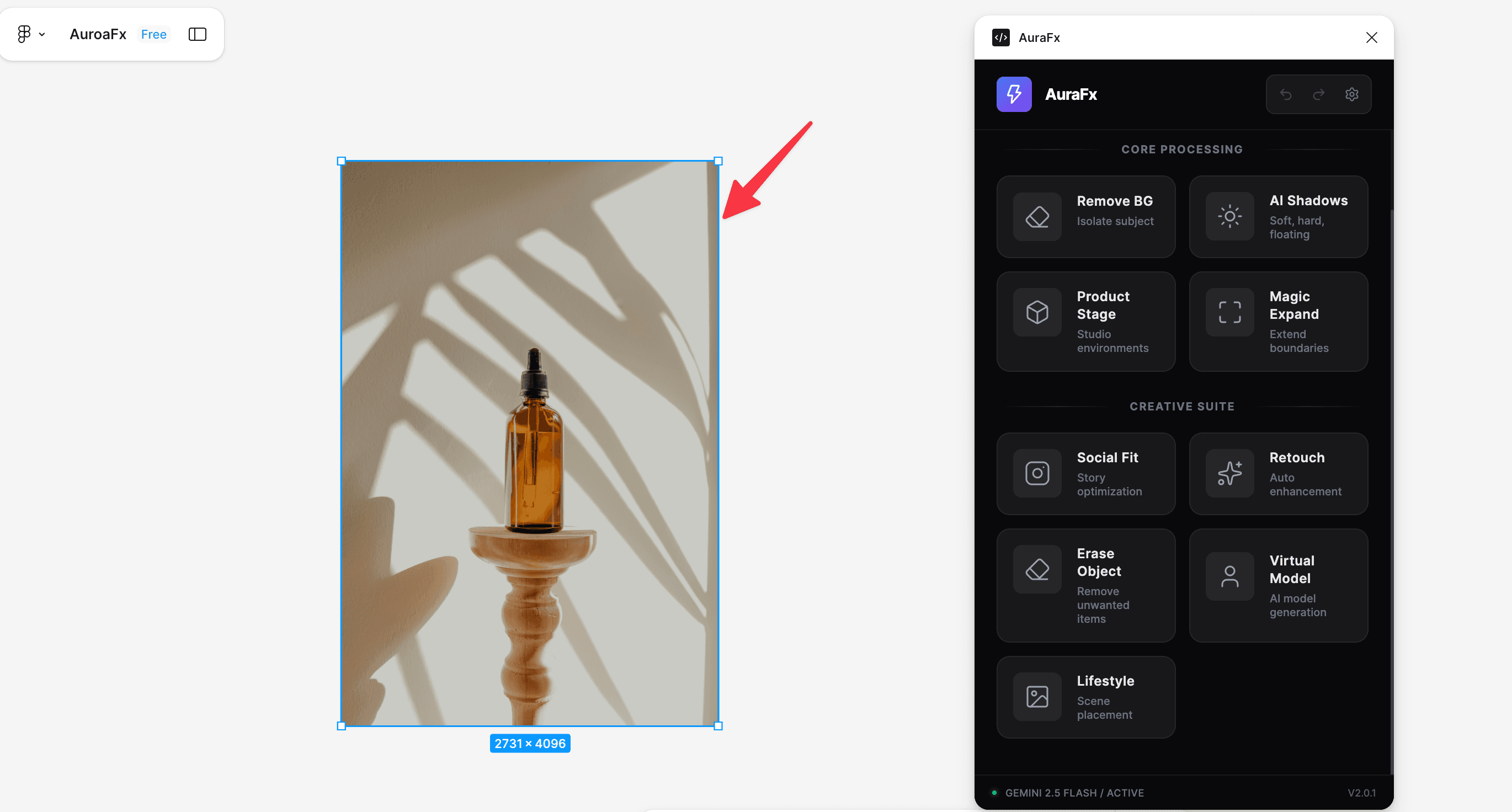
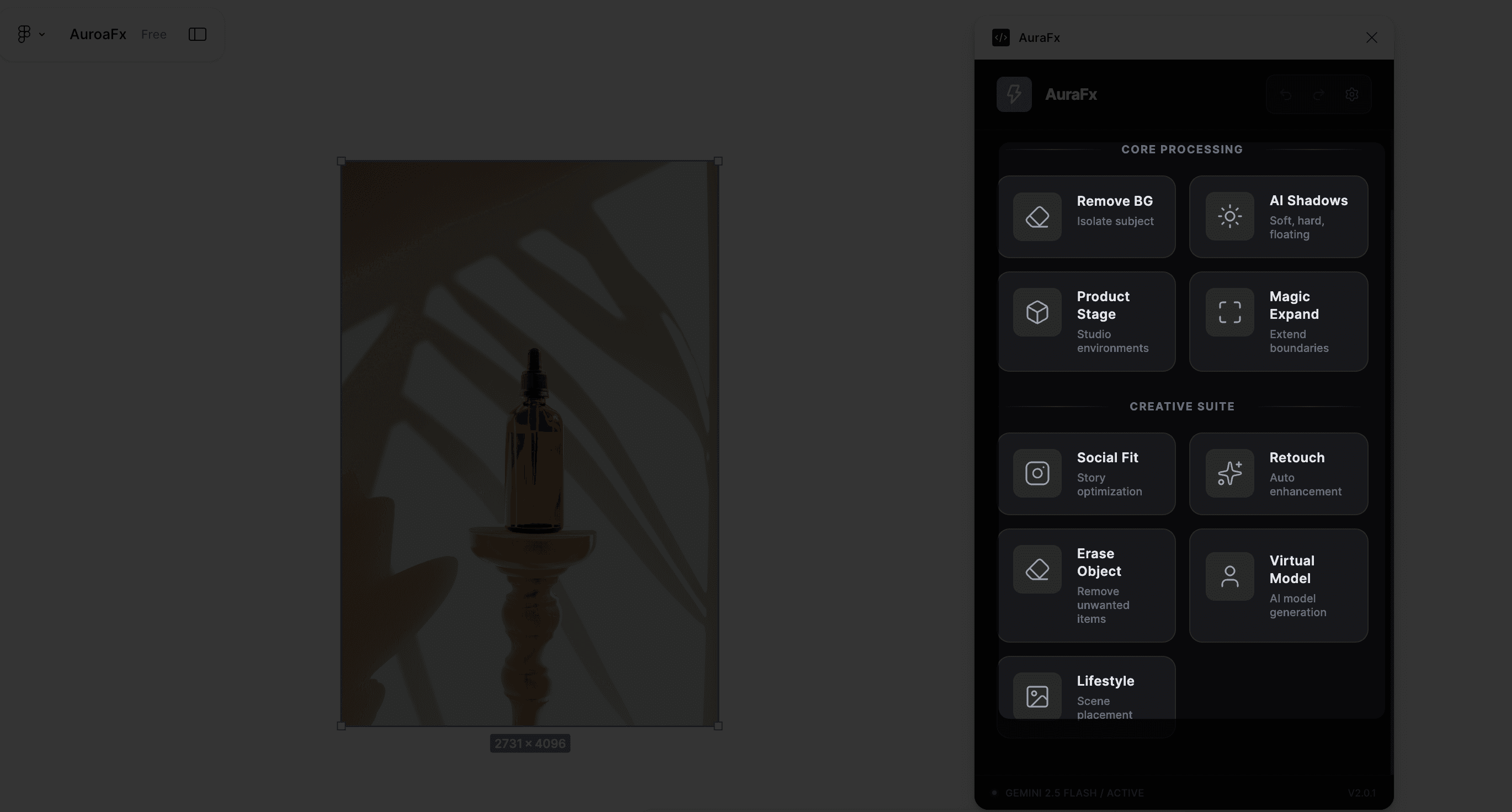
Choose an Action
Pick from 25+ presets (Remove BG, Upscale 4x, Add Shadow) or chain multiple actions into one workflow.
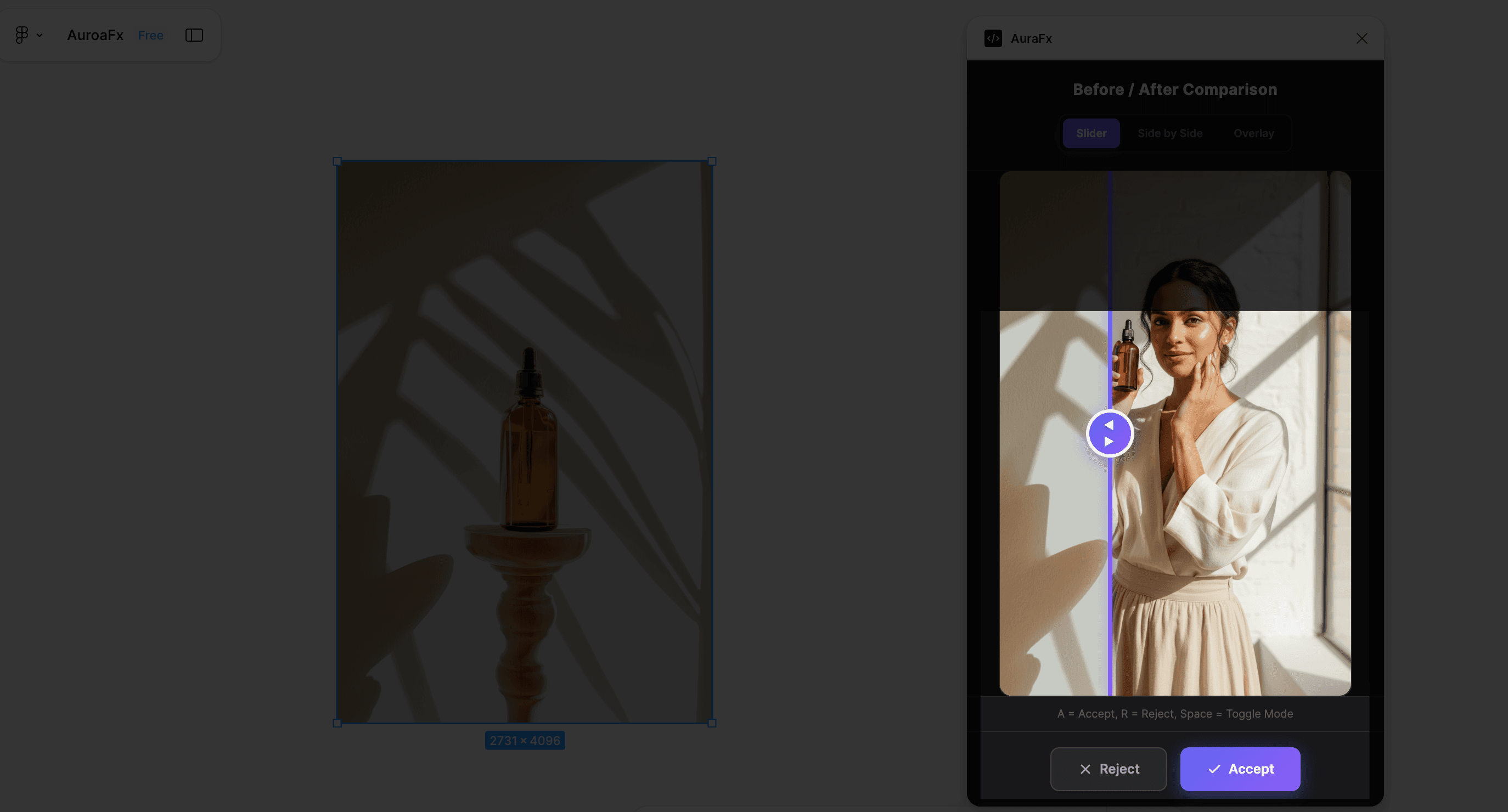
Review & Accept
Preview with before/after slider. Accept to apply or undo up to 25 steps back. Non-destructive editing.
No exports. No subscriptions. No switching apps.
See all features →Everything you need,
nothing you don't
Professional image editing without leaving Figma. No Photoshop subscription required.
AI Upscale to 4K
Enhance images to 2x or 4x resolution with AI detail preservation. Turn low-res photos into print-ready 4K quality in seconds.

BG Color Replace
Swap backgrounds to white, black, or gray instantly. Perfect for consistent e-commerce product photography across your catalog.

Depth Blur & Face Enhance
Apply portrait-mode background blur and enhance facial details. Make model photos look professionally retouched without Photoshop.

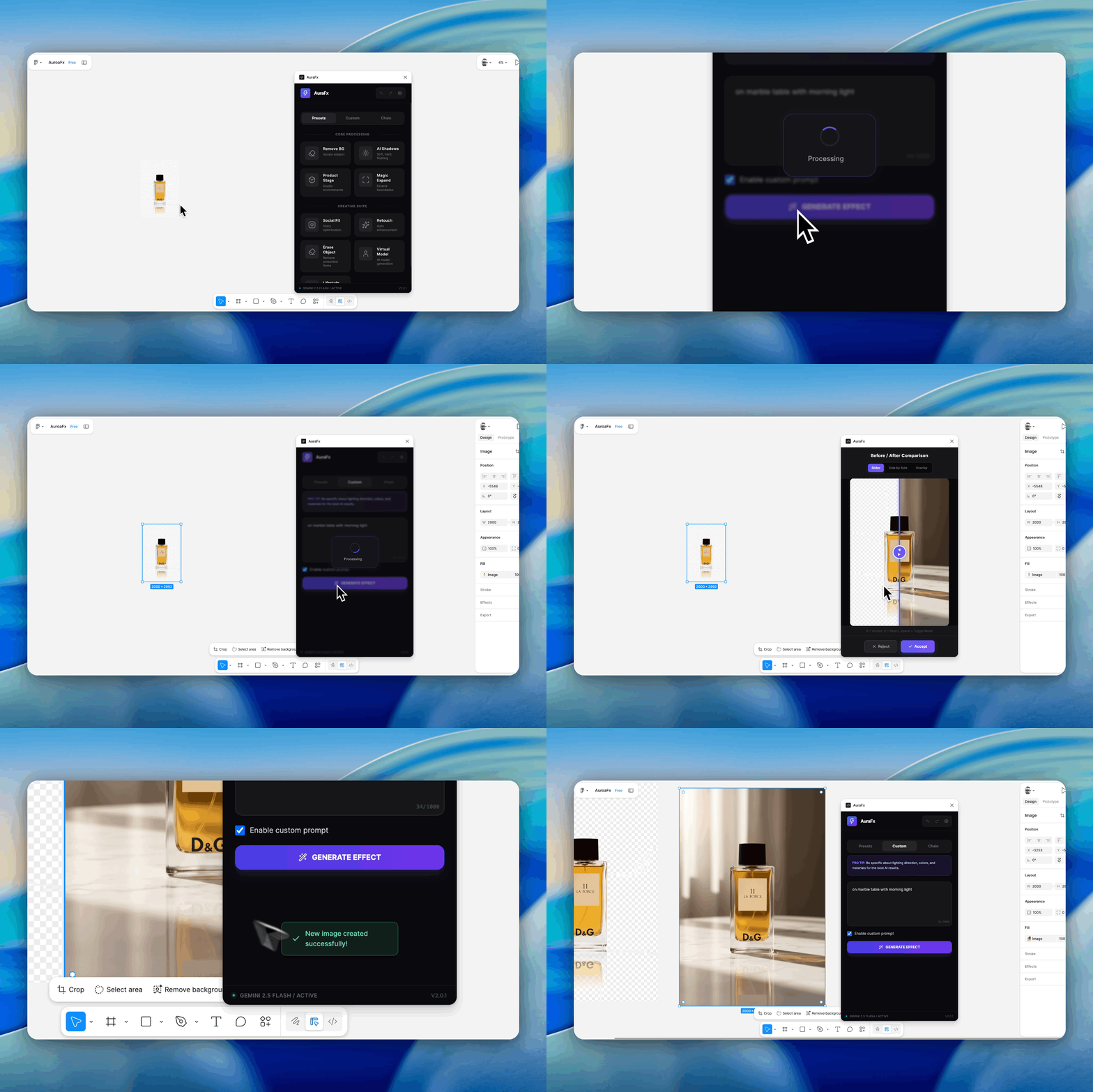
Product Staging Studio
Turn product cutouts into high-end marketing shots. Type "on a marble table in morning light" and get a photo-realistic composite in 3 seconds.
- Consistent lighting angles
- Reflection generation
- 4K resolution output
Process 50 images as fast as 1
Batch processing and action chaining turn hours of work into minutes.
Batch Processing
Select up to 50 images and apply any effect in one click. Process an entire product catalog in minutes instead of hours.
Action Chaining
Queue up to 5 effects (Remove BG → Shadow → Upscale → Color Pop) and run them with one click. Your custom workflow, automated.
Reflection Effect
Add realistic floor reflections beneath products in one click. Creates premium, studio-quality product photography instantly.

5 AI models, 1 plugin
Pick the best AI for each task. Google Gemini for speed, OpenAI GPT for precision — with real-time cost tracking.
Multi-Model AI Engine
Choose between Google Gemini and OpenAI GPT Image models. Use Gemini Flash for speed, GPT Image 2 for best text rendering — switch with one click.
Model Per Action
Assign different AI models to individual actions. GPT Image 2 for text, Gemini Flash for backgrounds — optimize every task independently.
Live Cost Intelligence
See real-time cost per action before you run it. From $0.005 to $0.167 per image — always know what you're spending.
Output Quality Control
Fine-tune with quality tiers (Low/Medium/High) and size presets (1024², 1536×1024, Portrait). Full control over quality vs cost.
20 new features, zero new complexity
We added professional-grade tools without making the plugin harder to use.
AI Upscale to 4K
Enhance images to 2x or 4x resolution with AI-powered detail preservation. Get print-ready quality without losing sharpness.
BG Color Replace
Instantly swap backgrounds to white, black, or gray. Perfect for e-commerce product shots that need consistent backgrounds.
Reflection Effect
Add realistic floor reflections beneath products. Creates premium, studio-quality product photography in one click.
Depth Blur & Face Enhance
Apply portrait-mode background blur and enhance facial details. Make model photos look professionally retouched.
Smart Crop & Aspect Ratios
AI-powered cropping with rule of thirds. Quick resize to 1:1, 4:5, 9:16, 16:9 for every social platform.
Quick Workflows
5 pre-built workflow combinations that chain multiple actions together. Remove BG, add shadow, and upscale in one click.
Loved by designers worldwide
See what designers are saying about AuraFx and how it's transformed their workflow.
“AuraFx has completely transformed my workflow. What used to take 30 minutes in Photoshop now takes seconds. The shadow generation is incredibly realistic.”
“The batch processing feature alone is worth 10x the price. I processed an entire product catalog of 200+ images in under an hour. Game changer.”
“Finally, an AI tool that stays inside Figma. No more exporting, editing externally, and re-importing. The BYOK model means our client data stays private.”
“The product staging feature is mind-blowing. I described 'minimalist marble surface with soft morning light' and got exactly what I imagined.”
“I was skeptical about AI tools, but AuraFx delivers. The background removal is cleaner than most dedicated tools, and it's right there in my canvas.”
“The action chaining feature saves me hours every week. Remove BG → Add Shadow → Stage Product — all automated with one click. Brilliant.”
Why choose AuraFx?
See how AuraFx stacks up against traditional tools and other solutions.
| Feature | AuraFx $9 one-time | Photoshop | Remove.bg | Other Figma Plugins |
|---|---|---|---|---|
| Works inside Figma | ||||
| Background removal | partial | |||
| AI shadow generation | manual | |||
| Product staging | manual | |||
| Image expansion | ||||
| Batch processing (50+ images) | paid | |||
| Action chaining | complex | |||
| BYOK privacy (your API key) | ||||
| One-time payment | varies | |||
| No subscription | varies |
* AuraFx uses your own Google AI API key (BYOK) for maximum privacy and no per-image costs.
Frequently asked questions
Everything you need to know about AuraFx.
Still have questions?
Get in touchSimple, One-Time Pricing
Pay once, own it forever. No subscriptions, no hidden fees.
Full access to all features. Pay once, use forever.
Start creating stunning visuals in seconds
Join 500+ designers who've upgraded their Figma workflow with AI-powered image editing. One-time purchase, lifetime access.